Manual method
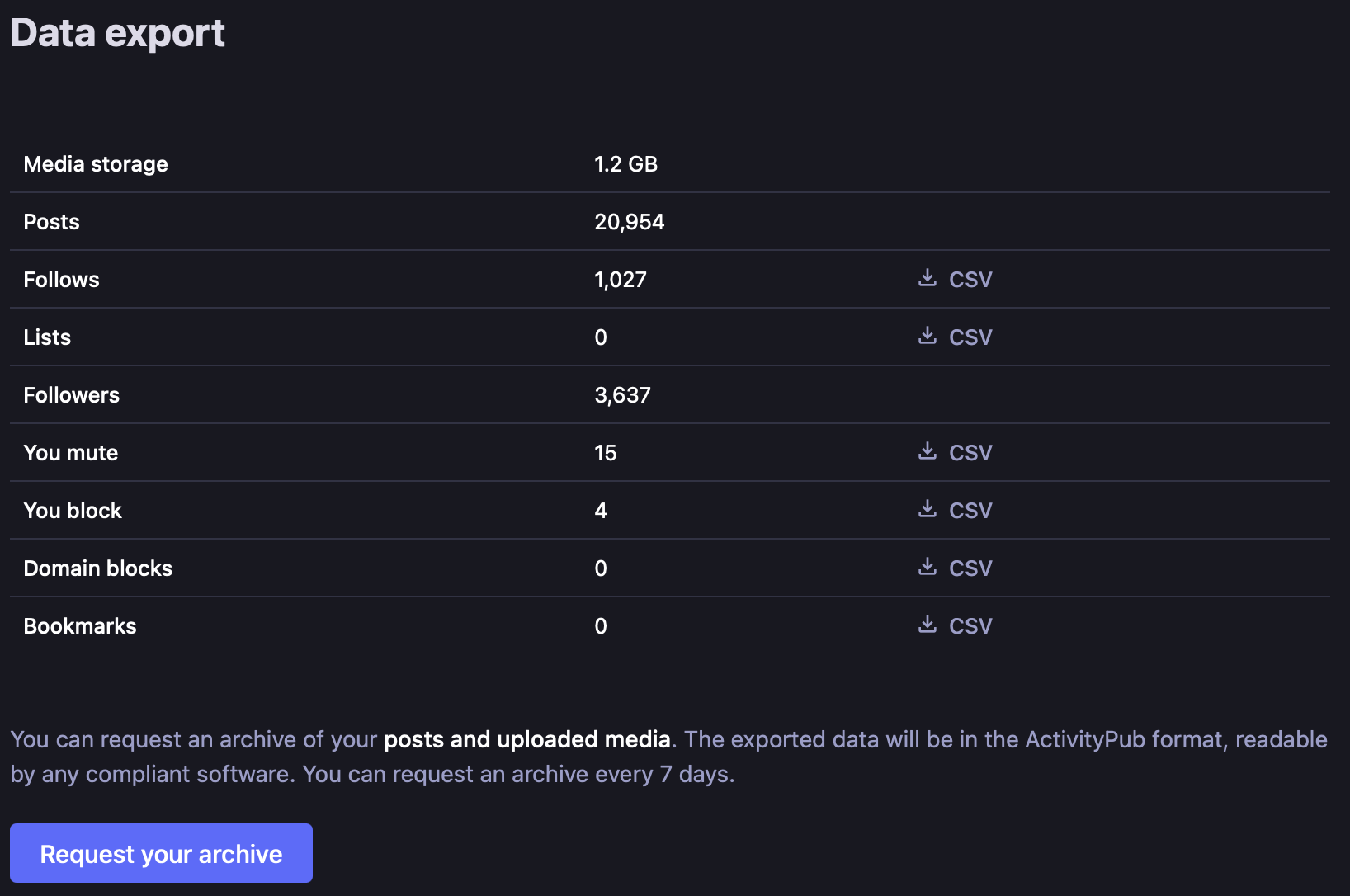
- On your own Mastodon server, open Settings, Import and export, then Export.
- Download the CSV lists you want to preserve, such as follows and blocks.
- Request the posts/media archive and wait for the server to prepare it.
- Download the archive and keep its Activity Streams JSON and media together; record your server address.
What you get: Lists can be imported separately. Mastodon does not support importing posts/media through its ordinary migration workflow, so the archive is preservation material, not a complete account restore. Server versions and policies can differ. Provider instructions.
Size and waiting time
Planning example: 2 GB; light/heavy scenarios: 0.01–30 GB. These are estimates, not a measured population average or fixed limits. Several thousand posts with attached pictures; audio/video-heavy accounts grow much larger.
Preparation: An archive can be requested once every seven days. Preparation speed depends on your server; allow hours as a planning estimate.
Network transfer of 2 GB: about 38 min at 10 Mbps, 8 min at 50 Mbps, or 4 min at 100 Mbps. This assumes 70% sustained throughput and excludes preparation, manual work and extraction. These are download estimates; online backup takes additional time at your upload speed. Transfer calculations and large-file examples.
Store and check your archive
An encrypted external SSD or hard drive is a good main archive for this collection. Allow roughly 6 GB of working space for the example, including an original, an extracted working copy and room to check it. Very compressed packages can need more. A USB key is useful for a spare copy, but should not be the only one. An encrypted online copy protects against losing the local devices.
Keep the original in mastodon/YYYY-MM-DD/original/. Record the account alias, selected scope, date range and missing items. Open old and recent records and sample attachments offline, then compare file sizes or checksums after copying. Keep the source account until you have checked the result. Storage and recovery instructions.
Sources and review
Public documentation was reviewed on 27 October 2026. No signed-in export or restoration was performed. Account options and availability can change; follow the current provider instructions.