Manual method
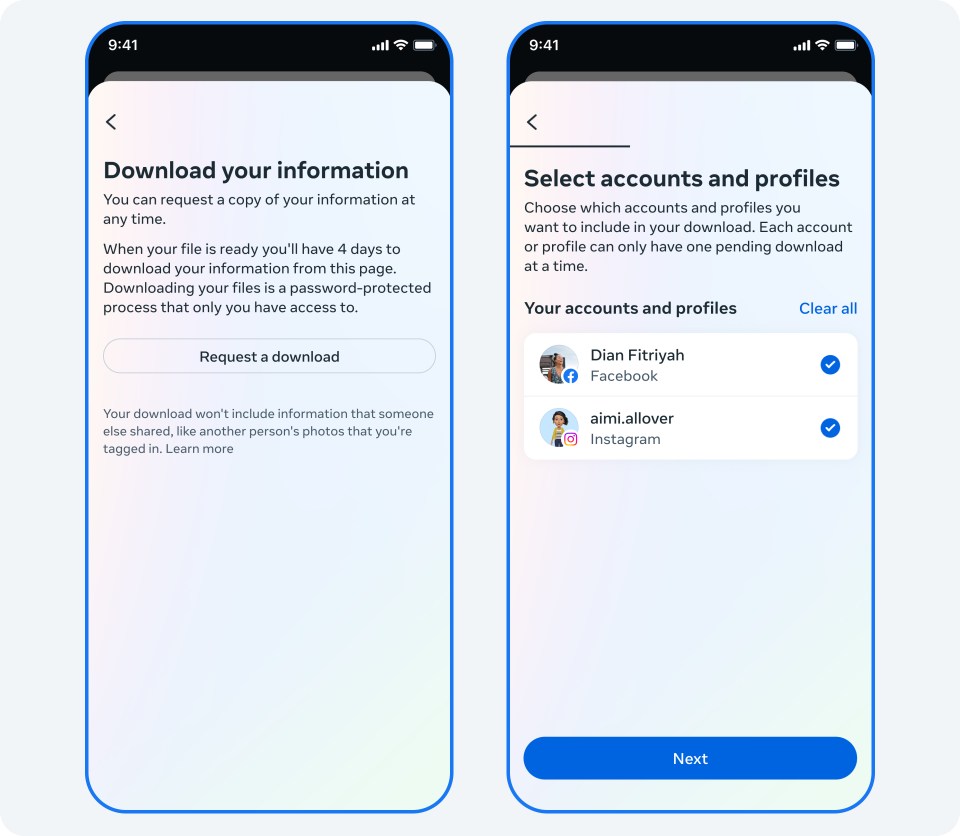
- Open Facebook settings and enter Accounts Center, which may now be named Meta Account.
- In the information/download controls, select your Facebook profile.
- Choose categories, full history and highest available media quality. Select HTML for reading or JSON for processing, when offered.
- Request device download; save every part when notified.
What you get: Select the correct profile and inspect the chosen categories. Keep original media alongside the account records. Deleted or no-longer-retained content may be absent. For encrypted conversations, also follow the Messenger guide. Provider instructions. Supporting reference 1. Supporting reference 2.
Size and waiting time
Planning example: 5 GB; light/heavy scenarios: 0.1–50 GB. These are estimates, not a measured population average or fixed limits. A long-lived account with roughly 2,000 compressed photos (about 2 GB), some videos and messages; video-heavy accounts can exceed the upper scenario.
Preparation: Allow several hours to several days for preparation as a planning estimate. Use the readiness and expiry shown in Meta’s notification.
Network transfer of 5 GB: about 1.6 hours at 10 Mbps, 19 min at 50 Mbps, or 10 min at 100 Mbps. This assumes 70% sustained throughput and excludes preparation, manual work and extraction. These are download estimates; online backup takes additional time at your upload speed. Transfer calculations and large-file examples.
Store and check your archive
An encrypted external SSD or hard drive is a good main archive for this collection. Allow roughly 15 GB of working space for the example, including an original, an extracted working copy and room to check it. Very compressed packages can need more. A USB key is useful for a spare copy, but should not be the only one. An encrypted online copy protects against losing the local devices.
Keep the original in facebook/YYYY-MM-DD/original/. Record the account alias, selected scope, date range and missing items. Open old and recent records and sample attachments offline, then compare file sizes or checksums after copying. Keep the source account until you have checked the result. Storage and recovery instructions.
Sources and review
Public documentation was reviewed on 27 October 2026. No signed-in export or restoration was performed. Account options and availability can change; follow the current provider instructions.