


Free
5 GB$0to start
Create your Studio workspace without a subscription.
- 5 GB private vault
- Upload, import and AI organization
- Search and Stories
- A free Studio workspace
SEED Studio
You’ve already lived the stories, learned the lessons and done the work. Studio finds them in your archive, connects them to what’s happening now and helps you shape them into posts, articles and stories in your own voice.
You have more to say than you think
Holiday photos you never captioned. Notes from a project that taught you something. A clip of the step nobody sees. It’s all there, it’s all yours, and it rarely becomes anything.
Studio looks across the material you choose and brings you good places to begin, every day. Some stories bring people together. Others help someone learn, or give them a reason to choose your business.

An idea hiding in your archive
“The summers that made us.” A narrated photo story to share with your people.
How it works
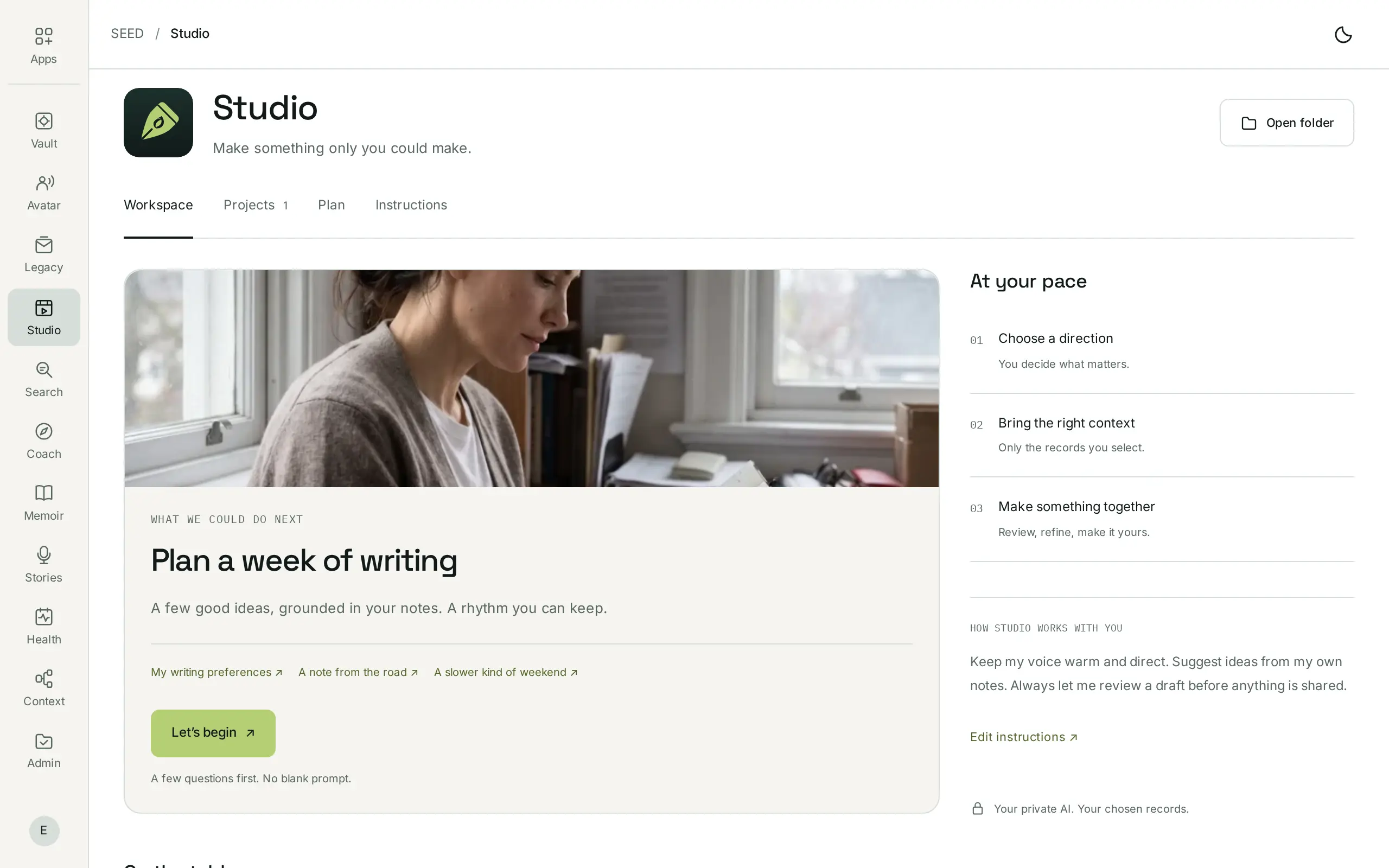
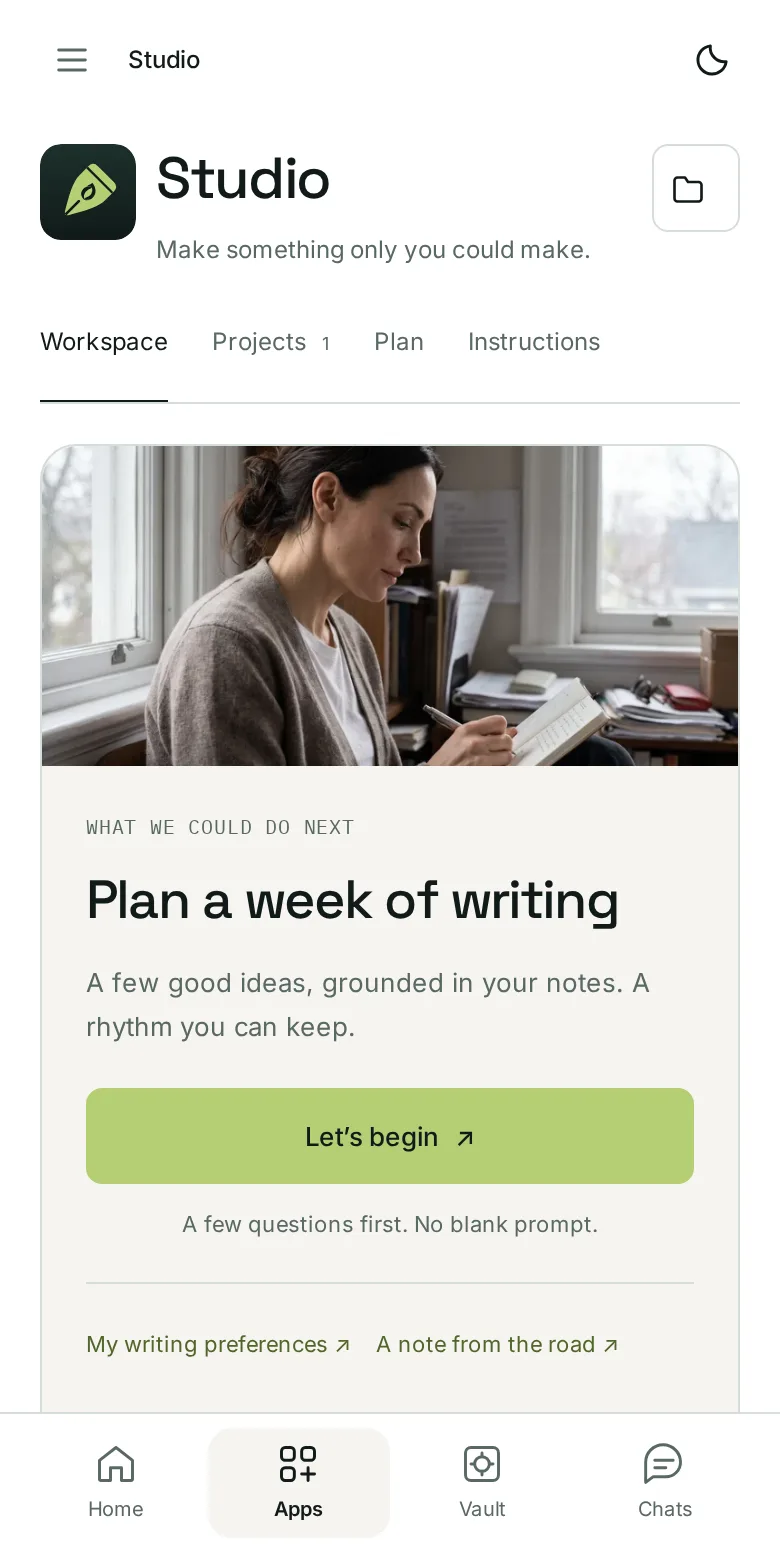
Studio has four tabs in the SEED dashboard, beside your vault and your private AI: Workspace, Projects, Plan and Instructions. Nothing is posted along the way.
01Workspace
“Let’s begin” asks a few questions first, so there’s no blank prompt. Decide what matters, then bring only the records you select.
02Projects
A few good ideas, grounded in your own notes, become drafts in your voice. Each one links to the material behind it. Review, refine and make it yours.
03Plan
Plan a week of writing, build recurring series and work around your own pace. A plan is not a publishing schedule: when and where anything is shared stays your decision.
04Instructions
Write it in your own words, for example: “Keep my voice warm and direct. Suggest ideas from my own notes. Always let me review a draft before anything is shared.”
Your personal creative team
From finding what you have to deciding what to make next, each part of Studio does one job well.
The archivist
Connects a photograph to a note, a clip to a project, an old idea to something you learned later.
The researcher
Notices when an event, debate or season gives your material fresh relevance, and shows you the public source.
The editor
Learns from your writing examples and style preferences: warm for family, clear for colleagues, true to your business.
The producer
Develops one experience into a post, a carousel, a video script and a newsletter, each with its own opening.
The director
A brief you can act on: the angle, the material to reuse, an opening line, and the shot still worth capturing.
The planner
Collect the ideas you love, build recurring series and plan around your own rhythm.
A private place to create
Studio works with the records you choose, inside your private server environment. SEED hosts and manages it for you. Core models run there, rather than sending your records to the model publisher.
Your whole archive or specific collections. Exclude private subjects and people, then review the material used in each draft.
Advanced external models and media generation are optional. Approve the provider, the material it receives and any cost before anything is sent.
Review personal details and the people involved. Nothing is posted publicly without your approval.
Works with
Studio is a place to begin. It reads from the same vault as the rest of SEED, so the material behind your next idea is already there.
A private home for your material. Preserve the originals behind your next idea.
Explore Vault
Return to what you lived. Explore moments, people and the thread between them, then bring them to the desk.
Explore Stories
When a story needs more than a post, give it its own pages. Shape selected memories into a book.
Explore MemoirPricing
Use Studio on its own with a free SEED account, or choose Personal for more space and all seven app subscriptions.
$0to start
Create your Studio workspace without a subscription.
Studio$9.99/ month
Studio app access, with a 5 GB private vault.
$29.99/ month
Room for your whole creative life.
Private AI is included, with no per-request core-model charge within your plan and app access. Optional external generation uses SEED credits or your own supported API key. Prices in USD; applicable taxes are additional.
Part of SEED
Studio reads from the same private vault as every SEED app. Keep the originals in Vault, find them with Search, and bring them to the desk when there’s something worth sharing.
SEED VaultFree with 5 GB SEED SearchFreeSEED StoriesFree
 SEED StudioFree workspace · $9.99 / monthSEED Memoir$10 digital · $50 print
 SEED Coach$9.99 / month
 SEED Health$9.99 / month
 SEED Context$9.99 / month
 SEED Admin$9.99 / month
 SEED Avatar$9.99 / month
 SEED Legacy$9.99 / month
 SEED USB Vault$99 · 256 GB
Questions
No. Start with a few files or a collection, and choose the records each Studio project can use. You don’t need any of the other paid SEED apps.
Choose the archive Studio can explore, the topics you follow and who you want to reach. Studio uses those preferences to suggest ideas and drafts regularly. Timely suggestions connect a public source with your own material; you can check the source, change the angle or skip the idea.
Yes. Give each creative workspace its own audience, source collections and voice examples. Keep family stories for your people and build professional content from the work you choose to include.
Editable social posts, articles, newsletters, captions and video ideas or scripts from your selected material. You choose the audience, purpose and voice. Outside image or video generation is optional and separately approved.
Bring supported photos, videos, notes and recordings. What can be extracted depends on the format and the processing available for your account. Review the original material and generated details before sharing.
No. You review and edit your work, then decide where and when it’s shared. A generated draft is not permission to post publicly, and any connected publishing destination requires your explicit approval.
You can create your workspace without starting a subscription. Studio app access is $9.99/month on Free, or included with Personal at $29.99/month. Private AI is included within that access; optional external models are separate.
You request an invitation and get SEED updates. Joining doesn’t charge you, start a subscription or instantly set up a Studio workspace. We’ll email you about access.
Request your Studio invitation. Bring your life, your knowledge and your ambitions.